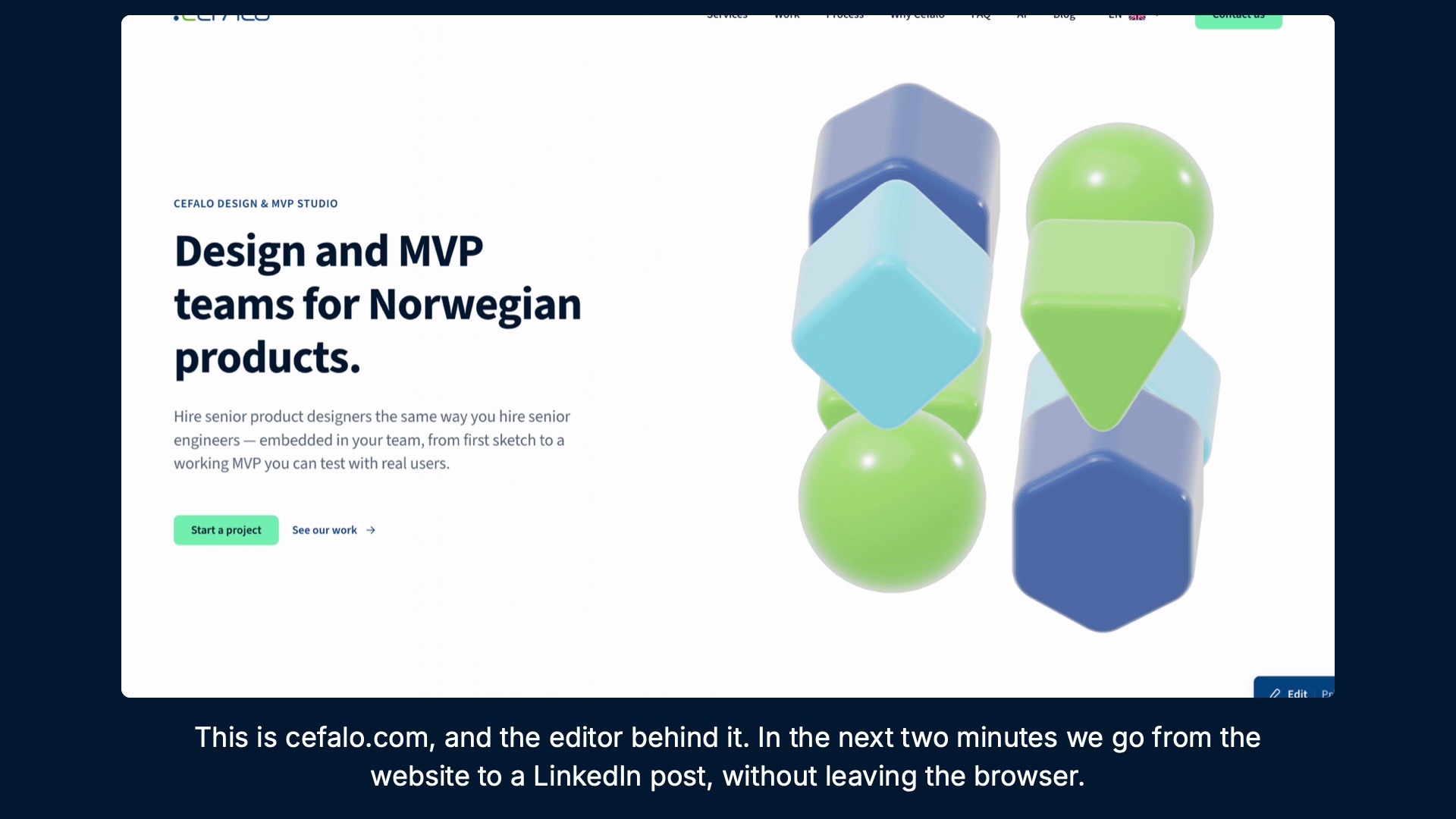
Original product tutorial frame / The public Cefalo design-site hero.
01 / Cefalo Design Platform
The page is only the visible part of the product.
A marketing page has a longer lifecycle than its published view suggests. Someone writes it, translates it, checks the claims, previews the result and keeps it current. The same article may later become a social deck. Designing those tasks as separate products would make the team repeatedly reconstruct the same context.
The repository brings three surfaces into one deployable application: Cefalo’s public English and Norwegian website, the editor used to maintain that content, and the Post Builder used to compose a carousel. The design problem is to connect them without making a public visitor, an editor and a publisher use the same interface.
Reading the problem / Cefalo Design Platform
A complete public page can begin as an incomplete draft.
The parity source explicitly treats saving and publishing as different responsibilities. The editor can support normal translation work while the publish rule protects the public document. Preflight then makes that rule visible before submission.
The public website, bilingual authoring and Post Builder serve different people and tasks. Draft work must remain editable while publication requires a complete, reviewable document.
How can a team reuse bilingual content across a public site and a carousel without losing context, brand consistency or control of publication?
Evidence: the project account and the attributed artifacts on this page. Process drawings and interaction studies are reconstructed explanations; numerical research or business results are included only where separately supported.
02 / Cefalo Design Platform
Two languages need a shared review surface.
The public site uses actual locale routes rather than swapping a dictionary inside one page. Its English and Norwegian pages have their own markup, language metadata and canonical relationships. That establishes a clear destination for each version while leaving the authoring interface responsible for keeping the versions aligned.
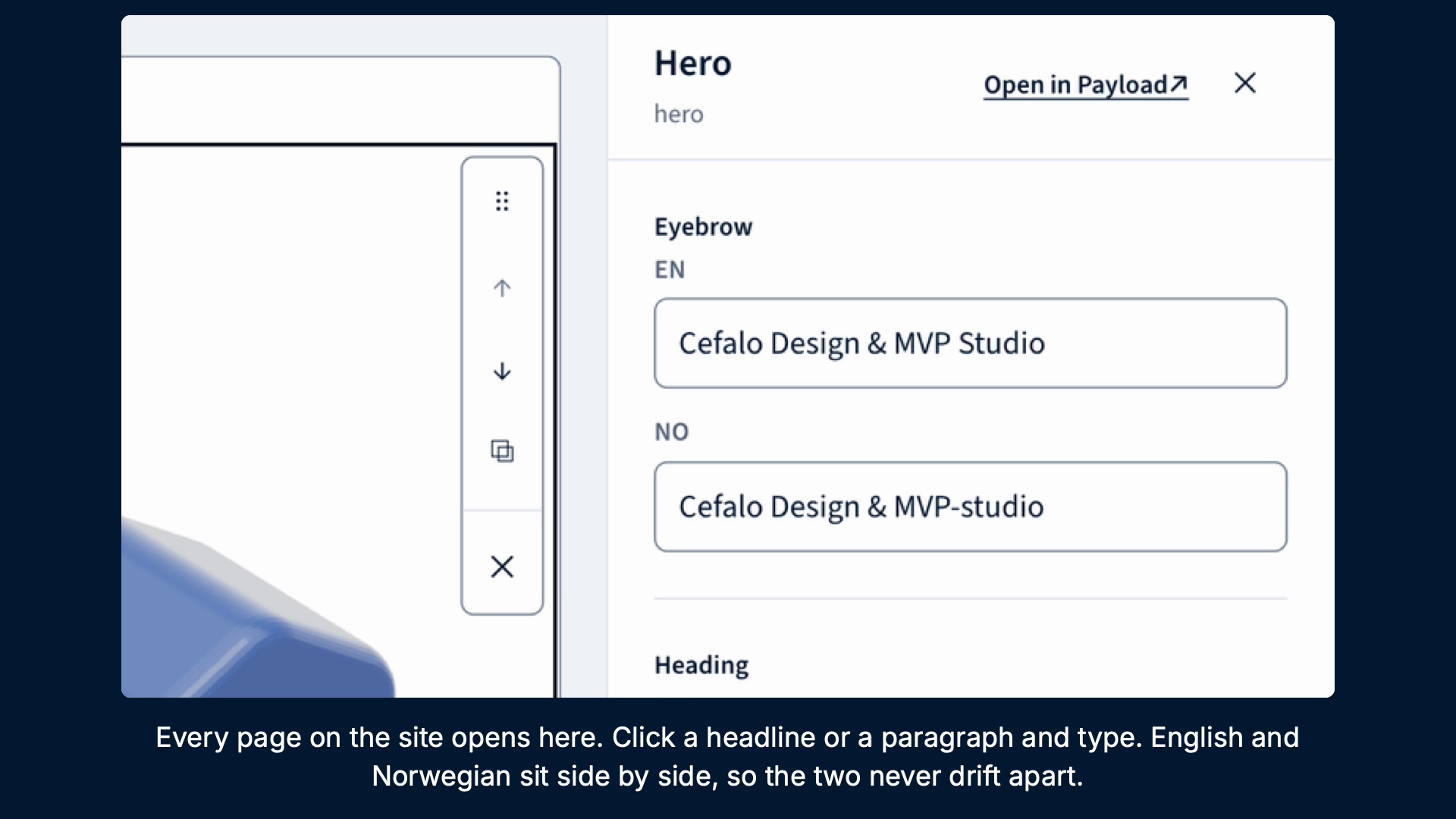
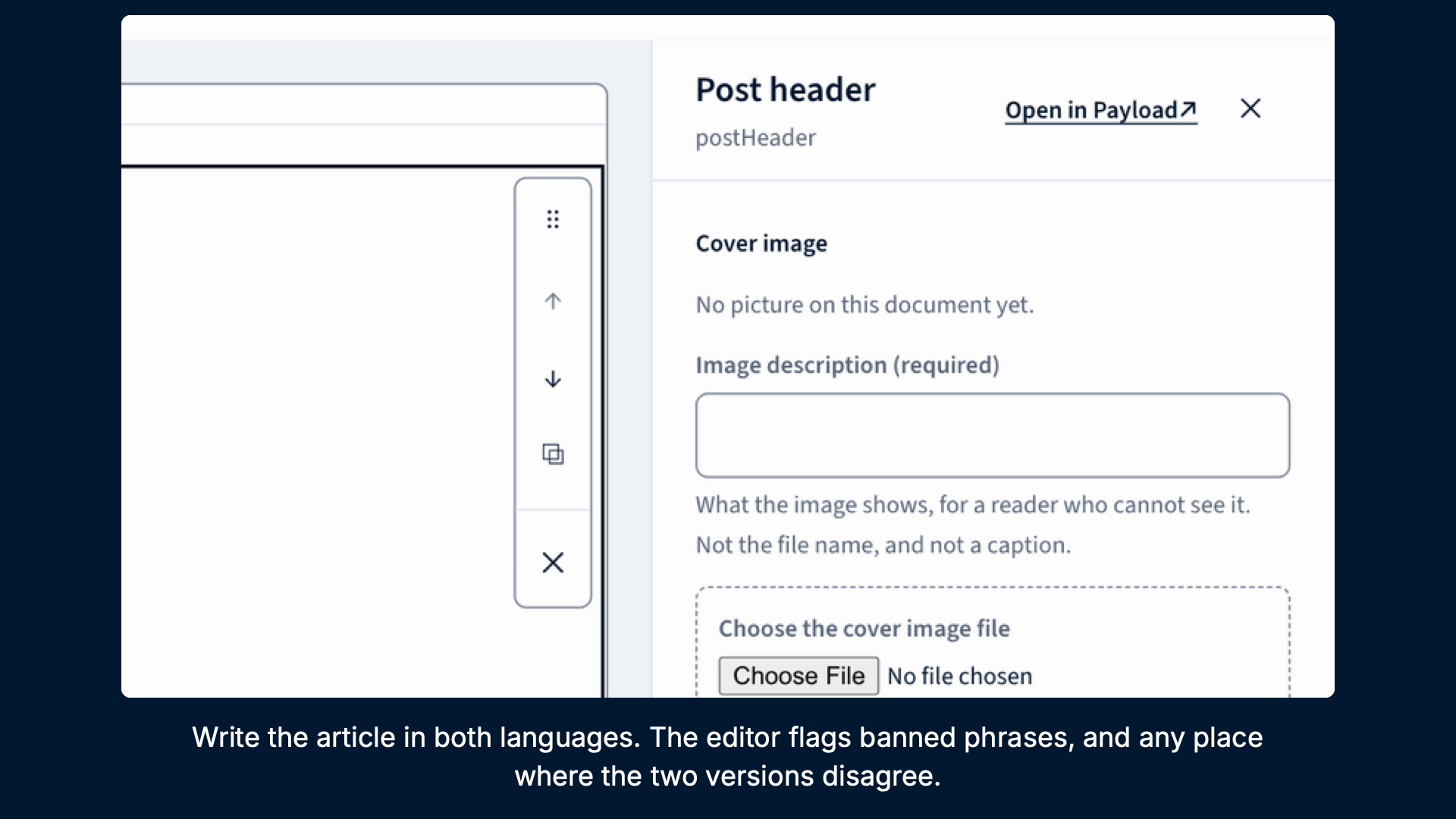
Inside the editor, the two languages are visible together. A writer can relate an English headline to the Norwegian field beside it, rather than switching away and comparing from memory. The tutorial frames show this relationship in the Hero inspector and the image-description guidance: context stays visible while a particular field is being edited.
03 / Cefalo Design Platform
An unfinished translation should still be a valid draft.
The parity implementation draws an important boundary between saving and publishing. Writing one language before the other is a normal state of work. Refusing that save would make the editor obstruct the task it is meant to support. A partially translated draft can therefore exist without becoming an acceptable published page.
The publication check compares the corresponding section types and counts, localized fields and list lengths. The interface needs to turn a mismatch into a specific correction: which section, which field and what differs. The useful outcome is a reviewable problem at the point of commitment, rather than a generic failure after the writer believes the page is finished.
04 / Cefalo Design Platform
The preview should explain the rule the server will enforce.
A publishing dialog can become misleading if its validation is written independently from the service. It may approve a document the server rejects, or display a different reason for the same failure. In this implementation, publish preflight imports the parity and proofreading functions used by the server hooks and prepares the document through the same composition adapter.
That shared rule becomes a UX advantage. The person can inspect the issue before submitting, and the explanation refers to the actual acceptance condition. Permission remains a server responsibility; the editor’s visible controls and local feedback help the person understand the action without replacing authorization or the final publishing check.
05 / Cefalo Design Platform
A carousel should inherit the article’s structure.
The Post Builder extends the workflow from a page or article into an editable slide deck. It needs to preserve the distinction between shared structure and localized words: a stored slide contains both languages, while a rendered slide resolves a single locale. Copy, images and module content must reach the renderer in a form it can reproduce.
The renderer mapping is deliberately direct. Template and format identifiers in the studio correspond to the renderer’s identifiers, rather than silently collapsing distinct layouts into a smaller set. The source includes a coverage check for that relationship. It is a design-system concern as well as an engineering one: the exported composition should represent the template the person actually selected.
06 / Cefalo Design Platform
Brand identity and public-site semantics have different jobs.
The platform’s public site uses Source Sans 3 with a navy-tinted neutral scale, mint action surfaces and nearly square corners. The current token file names both the identity colors and the semantic roles used by public pages. Those roles matter because a logo swatch and a readable interactive surface are different design decisions.
The internal identity-led tools and the brand package are related sources, but they are not interchangeable instructions for every surface. The public site retains its mint and dark-navy semantics; the navy, green and cyan identity palette serves its documented applications. This case focuses on the working platform, while the separate Cefalo brand-system case explains the asset and guideline package.
07 / Cefalo Design Platform
Exporting and publishing are separate commitments.
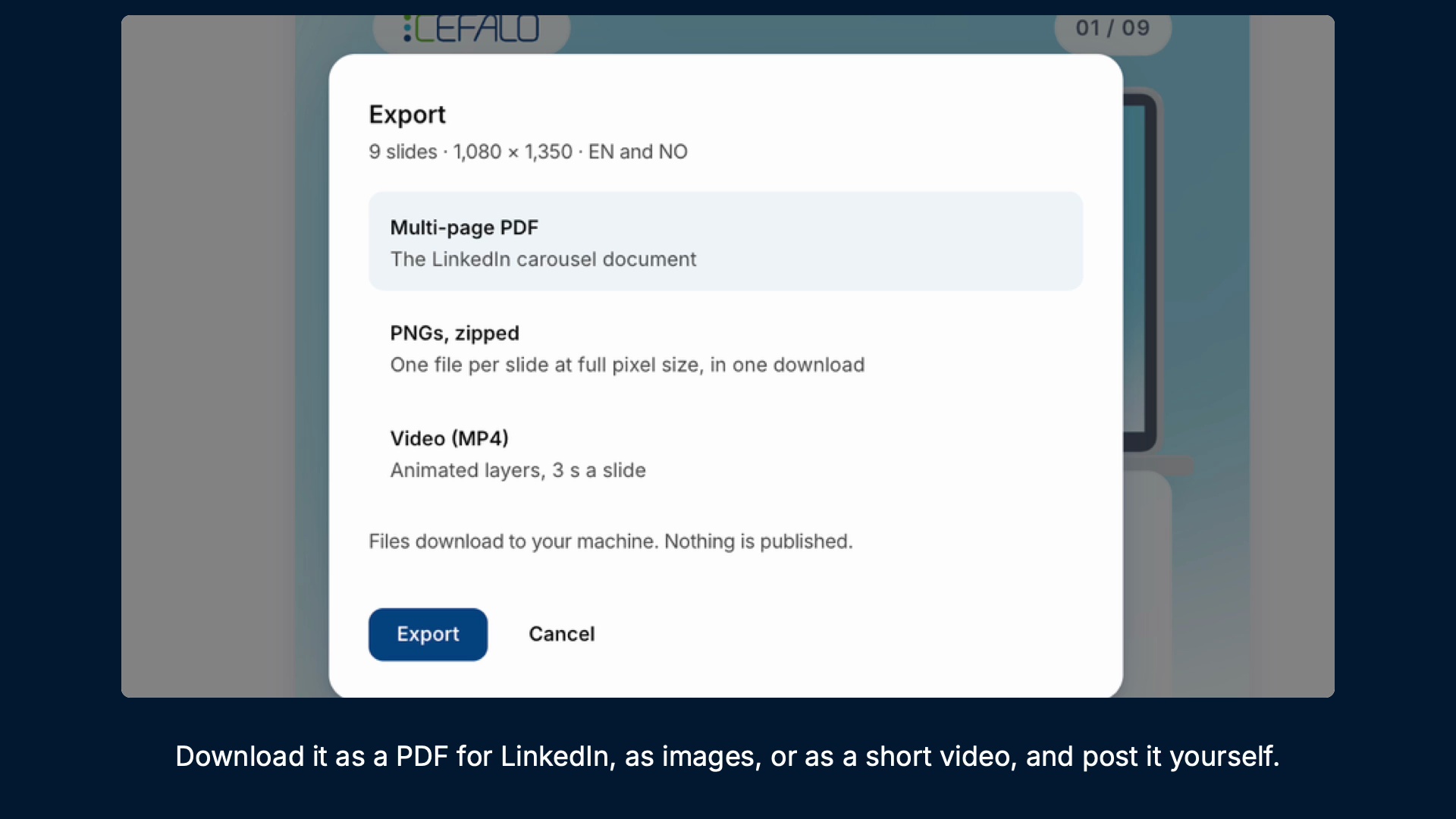
A person can preview and download a deck without publishing it. The existing tutorial makes this distinction explicit in its export dialog, showing PDF, zipped PNG and MP4 options while explaining that the files download locally. A successful render therefore answers a different question from a successful publishing action.
The repository’s current workflow keeps public-site and LinkedIn publication under human control. AI-assisted work can prepare or refine material, but the review surface must still expose the language versions, the selected composition and the destination. The older automated text-post product was retired; it is not presented here as a current capability of this platform.
The process / Cefalo Design Platform
A direction.
A way to build it.
The platform connects the public reading experience to the work needed to keep it bilingual, consistent and publishable.
A schematic of sequence and overlap, not a dated project schedule.
Map the content lifecycle
Separate public reading, localized authoring, carousel composition and the decisions that make content public.
Structure bilingual editing
Connect language versions and block context so writers can work incrementally without losing their place.
Align checks and rendering
Reuse publish-time validation in preflight, and preserve studio template and format meaning in the renderer.
Review before commitment
Inspect the page or deck, resolve language issues and distinguish export from an explicit publishing action.
How can a team reuse bilingual content across a public site and a carousel without losing context, brand consistency or control of publication?
The source document remains the anchor while a writer moves from localized fields to preview and a commitment. The workflow branches at delivery: downloading a file and publishing content have different destinations and consequences. Keeping those choices visible prevents a generated draft or rendered deck from implying approval.
Journey map / Cefalo Design Platform
See the whole task in context.
Choose a step to connect the person’s intent with the interface and the design decision.
Current intent
Open the source document
The public website, bilingual authoring and Post Builder serve different people and tasks. Draft work must remain editable while publication requires a complete, reviewable document.
- Interface context
- Document and language context
- Review question
- Which checks belong during drafting, and which should block publication?
Representative task sequence and recovery path, not a measured emotional curve or historical research map.
Behind the experience
The visible task depends on work behind it.
For Cefalo Design Platform, this map connects “Open the source document” to “Choose export or human publish”. Read across to follow the task, then select a layer to inspect the interface, design and delivery references behind it.
| Layer | Open the source document | Write and compare EN / NO | Resolve issues and preview | Choose export or human publish |
|---|---|---|---|---|
| The task | Open the source document | Write and compare EN / NO | Resolve issues and preview | Choose export or human publish |
| Visible interface | Document and language context | Document and language context | Inline bilingual workspace | Preview and commitment review |
| Design checkpoint | The public website, bilingual authoring and Post Builder serve different people and tasks. Draft work must remain editable while publication requires a complete, reviewable document. | Identify the document and its language versions before editing a field. | Keep EN and NO content visible together while making a specific correction. | Distinguish a local export from an explicit publication decision. |
| Implementation reference | Separate public reading, localized authoring, carousel composition and the decisions that make content public. | Connect language versions and block context so writers can work incrementally without losing their place. | Reuse publish-time validation in preflight, and preserve studio template and format meaning in the renderer. | Inspect the page or deck, resolve language issues and distinguish export from an explicit publishing action. |
| Recovery | Parity or proofreading issue → identify the section and field → revise the draft → preview again before publication | |||
A reconstructed delivery map: the implementation row summarizes design-process dependencies, rather than claiming to document the original backend architecture.
Permit drafts and gate publication.
Reconstructed comparison of design approaches. These are review studies, not a claim that both directions were historically tested or shipped.
What this direction changes
Permit drafts and gate publication
Supports incremental authoring while requiring language and content checks before a public commitment.
Keep the document, the field and the commitment in context.
These reconstructed studies separate document orientation, the bilingual editing task and the final preview or publishing decision. They explain the boundaries visible in the tutorial frames rather than reproducing historical wireframe exports. The editor should expose the selected content without making the writer reconstruct where a field belongs.
01 / Document and language context
Cefalo Design Platform⌕
01Document and language context↗
02Inline bilingual workspace↗
03Preview and commitment review↗
Write and compare EN / NO
Identify the document and its language versions before editing a field.
02 / Inline bilingual workspace
Cefalo Design Platform⌕
Open the source documentDocument and language context
Write and compare EN / NOInline bilingual workspace ⌄
✓Resolve issues and preview
Resolve issues and preview
Keep EN and NO content visible together while making a specific correction.
03 / Preview and commitment review
Cefalo Design Platform⌕
Choose export or human publish
- Document and language context
- Review
- Inline bilingual workspace
- Review
Choose export or human publish
Distinguish a local export from an explicit publication decision.
Try the interaction
Cefalo Design Platform / Task & review study
Cefalo Design Platform01 / 03
View 01
Document and language context
Identify the document and its language versions before editing a field.
Keep this context visibleDocument and language context
Identify the document and its language versions before editing a field.
Starting context
Open the source document
A public page needs a stable reading hierarchy.
The reviewed public-site token system specifies Source Sans 3 as its type family, with separate heading and text roles. Navy-tinted ink carries the reading hierarchy; mint is an action surface that needs a readable paired ink. Internal identity templates have their own documented typography decisions, so a public-site specimen should not imply that every authoring surface has adopted the brand package’s Inter and JetBrains Mono families.
Documented families / Source Sans 3Cefalo Design Platform
Open the source document.
Choose export or human publish.
HeadingInline bilingual workspace
24 / 30 px · regularBodyHow can a team reuse bilingual content across a public site and a carousel without losing context, brand consistency or control of publication?
16 / 26 px · regularLabelChoose export or human publish
12 / 18 px · regularStateParity or proofreading issue → identify the section and field → revise the draft → preview again before publication
12 / 18 px · regularFont families are verified in the supplied source; the displayed hierarchy is an explanatory specimen.
Verified in the project’s source library
Foundations become reusable interface behavior.
- Public semanticsSource Sans 3, navy-tinted ink, mint action surfaces and documented depth roles
- Structured contentLocalized sections, case and post blocks, and shared composition adapters
- Editorial controlsIn-context fields, document selection, language context and preview
- Review boundariesParity and proofreading functions shared by preflight and publish hooks
- Deck and outputStudio templates and formats mapped to the shared renderer
Source library inventory / Refer to the linked catalog or design file for original variants and usage.
- InlineTextEditor
- InspectorForm
- DocTargets
- Publish preflight
- Parity feedback
- Proofread feedback
- Studio templates
- Locale-aware rendering
- Explicit export review
Decide at the point where the consequence changes.
The authoring workflow connects content preparation, Norwegian and English review, interface design and implementation. The shared document and preflight result give those responsibilities a common reference. The case describes that collaboration model from the source; it does not claim a particular historical meeting, participant list or research sample.
Which checks belong during drafting, and which should block publication?
The source permits incomplete drafts because translation is an incremental activity. Parity and proofreading become blocking conditions at publication, when an unfinished document would affect public content. A useful editor identifies the specific correction without discarding the rest of the work.
How can the selected slide template remain consistent from editing through export?
A template selected in the studio should remain the same template in the output. The shared renderer identifiers and coverage check keep that relationship explicit. Changing a composition or adding a format needs review across the editor and renderer, rather than a local visual adjustment alone.
Carry the content model and the acceptance rule together.
A feature brief should identify the document type, locale, selected block and publishing consequence. The composition adapter and the parity/proofreading functions are the implementation references for how that document is reviewed. For a carousel change, the brief also needs the studio template, output format and locale resolved by the renderer.
Claude- or Codex-assisted work should start from the current semantic tokens, block schema and shared validation functions. Keep generation in a reviewable draft state, and verify both the editing surface and the rendered result. Older documentation about the retired text-post product should not silently become a requirement for the current application.
The source and existing tutorial establish an implemented content workflow. They do not establish audience growth, a completed accessibility certification or measured publishing-time savings.
Accessibility & standards
Access belongs in the design.
For this content workflow, prioritize authoring labels, keyboard access, understandable review states and accessible content before publication.
WCAG 2.2 AA · EN 301 549 · APCA · WAI-ARIA · Platform guidance
Complete the task without a mouse
Define tab order, visible and unobscured focus, named controls, table relationships and error recovery using native semantics and WAI-ARIA patterns.
Understand every state
Pair color with text or icons for selection, warnings and availability. Review text at WCAG contrast thresholds and use APCA alongside font size and weight for readability decisions.
Keep the workflow usable
Review zoom and reflow, 24 × 24 CSS-pixel minimum targets or qualifying spacing, alternatives to dragging, validation and accessible authentication where applicable.
Review scope & standards references
These are design references and review priorities, not a claim that this historical project passed a WCAG audit. Record criterion-level evidence, assistive-technology and device results, unresolved issues and retest outcomes before making a conformance statement.
APCA supplements the WCAG 2.2 contrast checks; it does not replace them. WCAG 3 remains a draft. EN 301 549 v4.1.1 is the latest published edition checked on 6 November 2026; its publication and its formal EU legal citation are separate matters. Confirm the applicable procurement or legal baseline with the client.
Outcomes & scope
What the work delivers.
- The reviewed source contains EN/NO public routes, Payload-backed authoring surfaces, draft preview and explicit publishing controls.
- Publish preflight reuses the parity and proofreading functions used by the server, so the editor can explain a blocking issue before submission.
- The Post Builder connects editable decks to a shared renderer and export formats; the existing tutorial demonstrates the editor and export interface.
- This case documents implemented product behavior and source artifacts. It does not claim audience growth, lead conversion or measured editorial time savings.
Results are described within the documented project scope. Illustrative studies are identified separately from original project artifacts.
Review & next iteration
What needs to hold up in use.
Use these questions to review Cefalo Design Platform against the behavior the design is intended to support.
- 01
Can a writer save partial work, locate the specific EN/NO mismatch and correct it without losing other edits?
- 02
Does preview and export preserve the selected locale, slide template and format while leaving publication explicit?
Project-specific acceptance questions for a future review, not reported usability-test results.
Reflection / Cefalo Design Platform
What I’d carry forward.
The most useful design boundary was between unfinished work and public commitment. A draft can be incomplete without being broken. The platform becomes easier to trust when the editor explains what remains unresolved and the same rule is enforced at the point where content leaves the workspace.