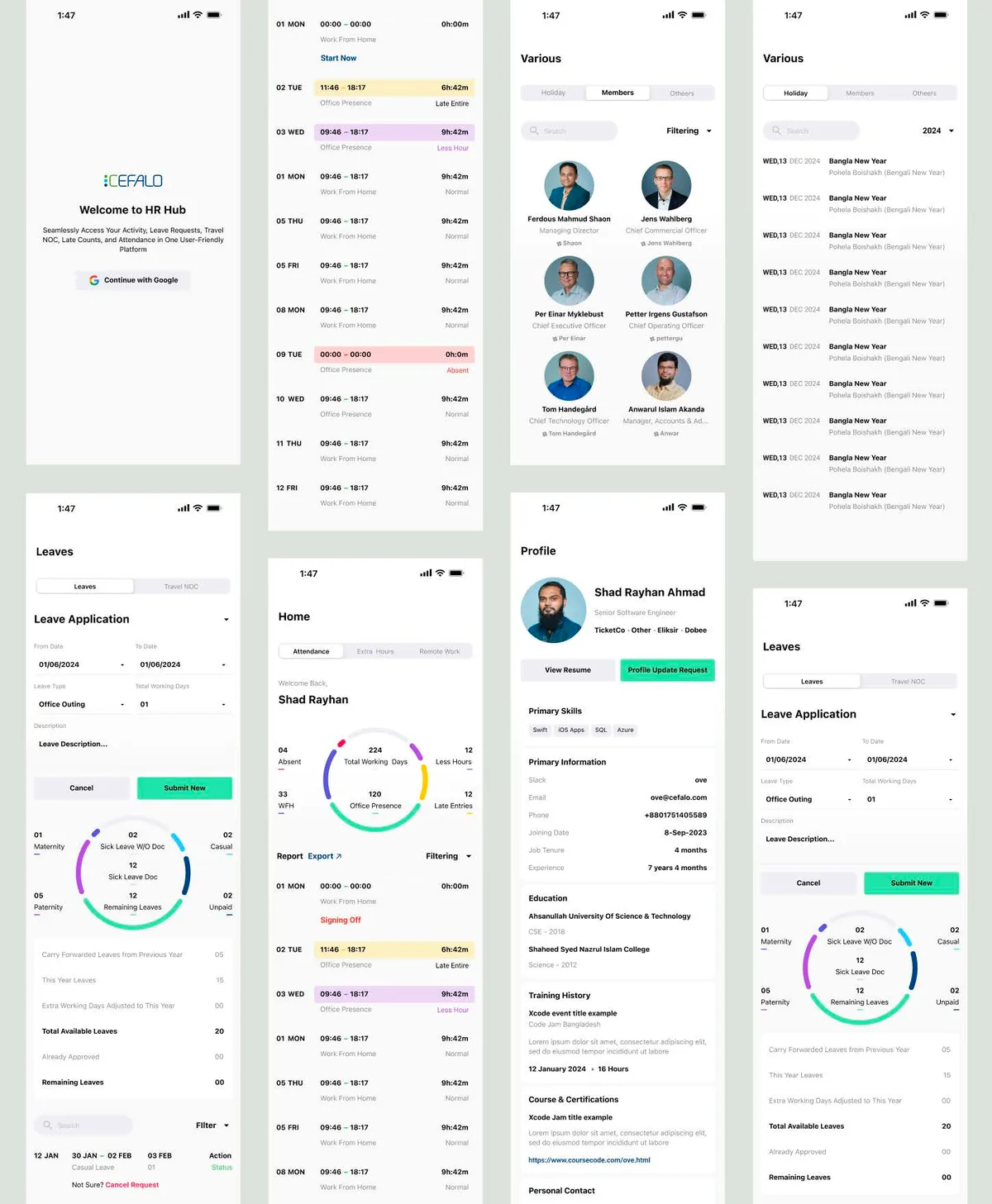
Cefalo HR Portal / Original product presentation
01 / Cefalo HR Portal
The problem
- No tracking for home-office workers.
- Limited accessibility through the web version.
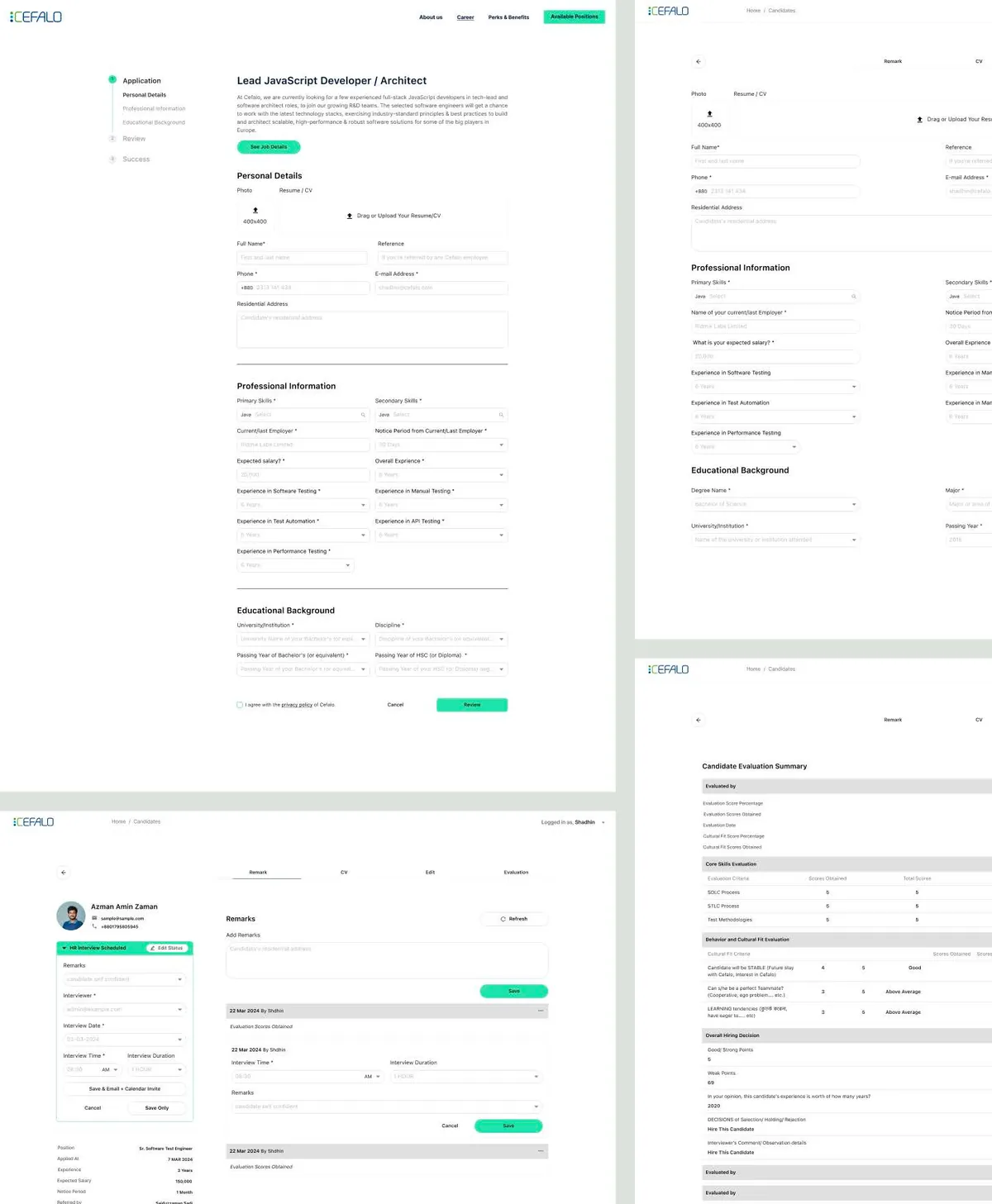
Reading the problem / Cefalo HR Portal
The request continues after submission.
Leave, attendance and employee activity create status and ownership questions after the first form is complete.
Leave, attendance, travel NOCs and employee activities need consistent mobile patterns without hiding policy-related detail.
How can employees understand what to do and what happens after submitting a request?
Evidence: the project account and the attributed artifacts on this page. Process drawings and interaction studies are reconstructed explanations; numerical research or business results are included only where separately supported.
02 / Cefalo HR Portal
My role
- Designed the Android and iOS applications.
- Built minimalist, user-friendly interfaces.
- Implemented authentication and gamification.
03 / Cefalo HR Portal
The process
- Mapped employee activities and edge cases.
- Designed and validated cross-platform flows.
The process / Cefalo HR Portal
A direction.
A way to build it.
The employee journey includes what happens after a request is submitted, not only how the form is filled in.
A schematic of sequence and overlap, not a dated project schedule.
Map employee activities
Identify leave, attendance and related tasks with their policy and authentication constraints.
Organize request states
Distinguish the information needed before submission from the status and ownership that follow it.
Explore cross-platform flows
Design the request and overview experience for Android and iOS.
Review completion and recovery
Check how entered information, validation and subsequent request status stay connected.
How can employees understand what to do and what happens after submitting a request?
Submitting a form is not the end of an HR task. Employees also need to know whether a request is pending, needs attention or has been resolved. The journey joins entry and request creation with the status that follows it.
Journey map / Cefalo HR Portal
See the whole task in context.
Choose a step to connect the person’s intent with the interface and the design decision.
Current intent
Sign in
Leave, attendance, travel NOCs and employee activities need consistent mobile patterns without hiding policy-related detail.
- Interface context
- Employee overview
- Review question
- Which information is necessary before a leave request can be submitted?
Representative task sequence and recovery path, not a measured emotional curve or historical research map.
Behind the experience
The visible task depends on work behind it.
For Cefalo HR Portal, this map connects “Sign in” to “Track its status”. Read across to follow the task, then select a layer to inspect the interface, design and delivery references behind it.
| Layer | Sign in | Choose an employee task | Review the request | Track its status |
|---|---|---|---|---|
| The task | Sign in | Choose an employee task | Review the request | Track its status |
| Visible interface | Employee overview | Employee overview | Request form | Request status |
| Design checkpoint | Leave, attendance, travel NOCs and employee activities need consistent mobile patterns without hiding policy-related detail. | Surface the employee’s current tasks and request entry points. | Keep requirements and validation beside the relevant fields. | Make the submitted request’s status easy to find again. |
| Implementation reference | Identify leave, attendance and related tasks with their policy and authentication constraints. | Distinguish the information needed before submission from the status and ownership that follow it. | Design the request and overview experience for Android and iOS. | Check how entered information, validation and subsequent request status stay connected. |
| Recovery | Invalid or incomplete request → identify the field → preserve entered information | |||
A reconstructed delivery map: the implementation row summarizes design-process dependencies, rather than claiming to document the original backend architecture.
A request lifecycle.
Reconstructed comparison of design approaches. These are review studies, not a claim that both directions were historically tested or shipped.
What this direction changes
A request lifecycle
Connects submission, status and the next responsible action.
Connect the form to the employee’s next question.
The recorded process maps employee activities and cross-platform flows. These explanatory views show the overview, a request form and its status. They focus on what remains visible after submission, rather than presenting confirmation as a temporary message that disappears.
01 / Employee overview
Cefalo HR Portal⌕
01Employee overview↗
02Request form↗
03Request status↗
Choose an employee task
Surface the employee’s current tasks and request entry points.
02 / Request form
Cefalo HR Portal⌕
Sign inEmployee overview
Choose an employee taskRequest form ⌄
✓Review the request
Review the request
Keep requirements and validation beside the relevant fields.
03 / Request status
Cefalo HR Portal⌕
Track its status
- Employee overview
- Review
- Request form
- Review
Track its status
Make the submitted request’s status easy to find again.
Try the interaction
Cefalo HR Portal / Task & review study
Cefalo HR Portal01 / 03
View 01
Employee overview
Surface the employee’s current tasks and request entry points.
Keep this context visibleEmployee overview
Surface the employee’s current tasks and request entry points.
Starting context
Sign in
Dates, balances and policy messages need separate roles.
Distinguish dates, balances, request states and policy explanations. Status should be expressed in language as well as visual treatment.
Illustrative type-role specimenCefalo HR Portal
Sign in.
Track its status.
HeadingRequest form
24 / 30 px · regularBodyHow can employees understand what to do and what happens after submitting a request?
16 / 26 px · regularLabelTrack its status
12 / 18 px · regularStateInvalid or incomplete request → identify the field → preserve entered information
12 / 18 px · regularPortfolio-font hierarchy illustration; the source does not establish the exact client font or token scale.
Make ownership visible after submission.
Which information is necessary before a leave request can be submitted?
Leave requirements should be explained where they affect the request. A user should not have to abandon a partly completed form to understand what is missing.
How do pending, approved and declined states differ in copy, available actions and ownership?
Pending, approved and declined are different situations with different next actions. Their wording and presentation should identify the current state without depending only on a color.
Document the request as a lifecycle.
The contribution includes Android and iOS interfaces for employee tasks. A useful implementation reference follows the request from authentication through validation and into status tracking, with entered information preserved when correction is necessary.
A proposed AI-assisted change should use representative request states and non-sensitive example data. Check how the update handles dates and missing information before extending it to other employee activities.
This page explains the HR interface contribution; broader productivity effects are not isolated to the design work.
Accessibility & standards
Access belongs in the design.
For Cefalo HR Portal, carry accessibility requirements from the core user journey into component states, prototypes and engineering acceptance criteria.
WCAG 2.2 AA · EN 301 549 · APCA · WAI-ARIA · Platform guidance
Read and navigate with assistive technology
Specify accessible names, logical reading order and meaningful control roles. Plan VoiceOver or TalkBack checks, Dynamic Type or text scaling, and platform-appropriate touch targets.
Preserve meaning across themes
Review WCAG 2.2 AA contrast and non-color cues in light and dark appearances; use APCA as an additional typography-readability check.
Respect native behavior
Use Apple HIG and relevant Android guidance for navigation, gestures, focus and motion preferences. Give gesture-driven actions a discoverable alternative.
Review scope & standards references
These are design references and review priorities, not a claim that this historical project passed a WCAG audit. Record criterion-level evidence, assistive-technology and device results, unresolved issues and retest outcomes before making a conformance statement.
APCA supplements the WCAG 2.2 contrast checks; it does not replace them. WCAG 3 remains a draft. EN 301 549 v4.1.1 is the latest published edition checked on 6 November 2026; its publication and its formal EU legal citation are separate matters. Confirm the applicable procurement or legal baseline with the client.
Outcomes & scope
What the work delivers.
- Reduced late entries.
- Improved adherence to leave policies.
- Higher productivity with healthier hours.
Results are described within the documented project scope. Illustrative studies are identified separately from original project artifacts.
Review & next iteration
What needs to hold up in use.
Use these questions to review Cefalo HR Portal against the behavior the design is intended to support.
- 01
Can an employee tell whether a request is pending or resolved?
- 02
Can a person recover from missing information without restarting?
Project-specific acceptance questions for a future review, not reported usability-test results.
Reflection / Cefalo HR Portal
What I’d carry forward.
Submitting a request is only one moment in an employee workflow. Clear ownership, status and the next expected action give the interface value after submission.