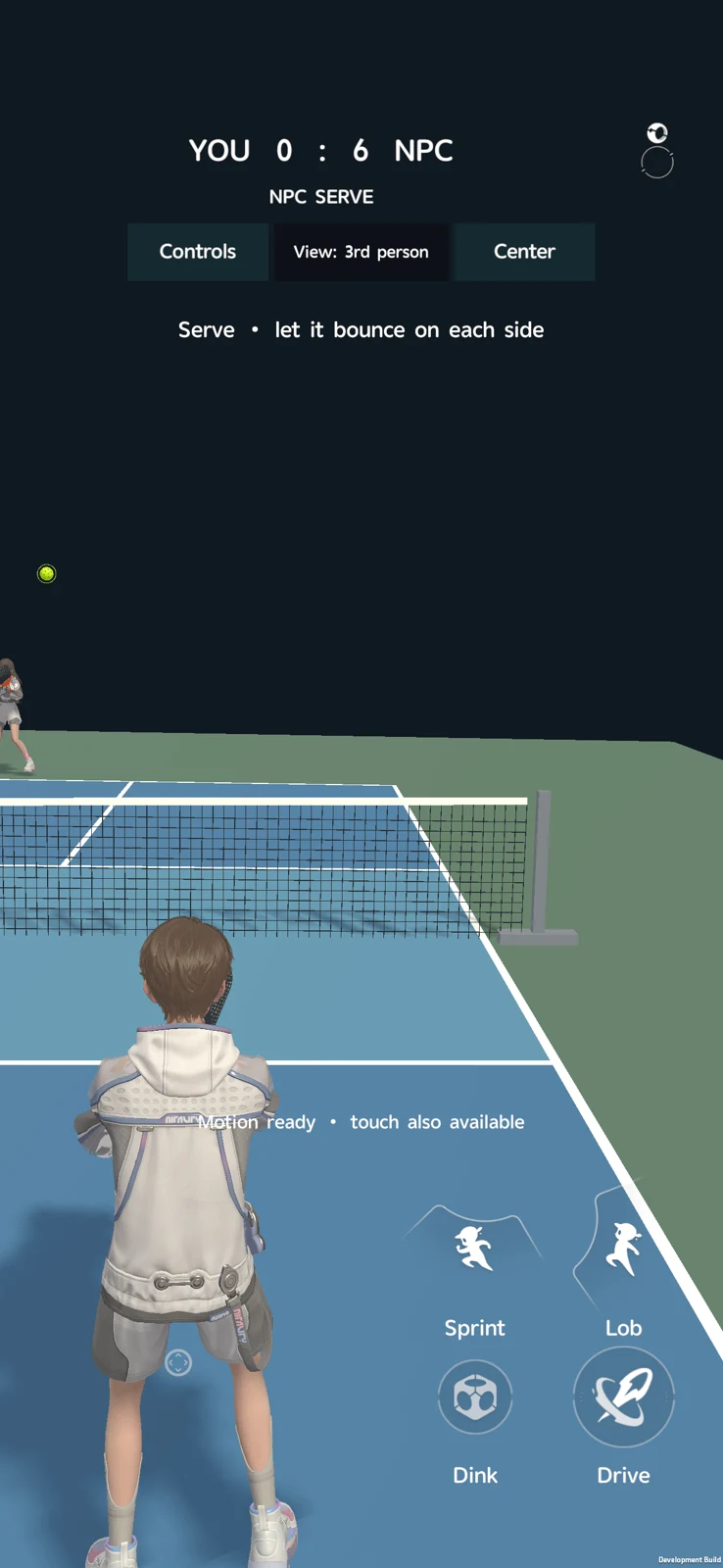
Actual local development capture
01 / Pickleball
The challenge
Connect avatar customization to a readable, touch-controlled sports loop with believable paddle contact and shot feedback.
Reading the problem / Pickleball
Readable timing comes before a crowded interface.
The sports foundation combines shot timing, responsive court movement and personalized athletes.
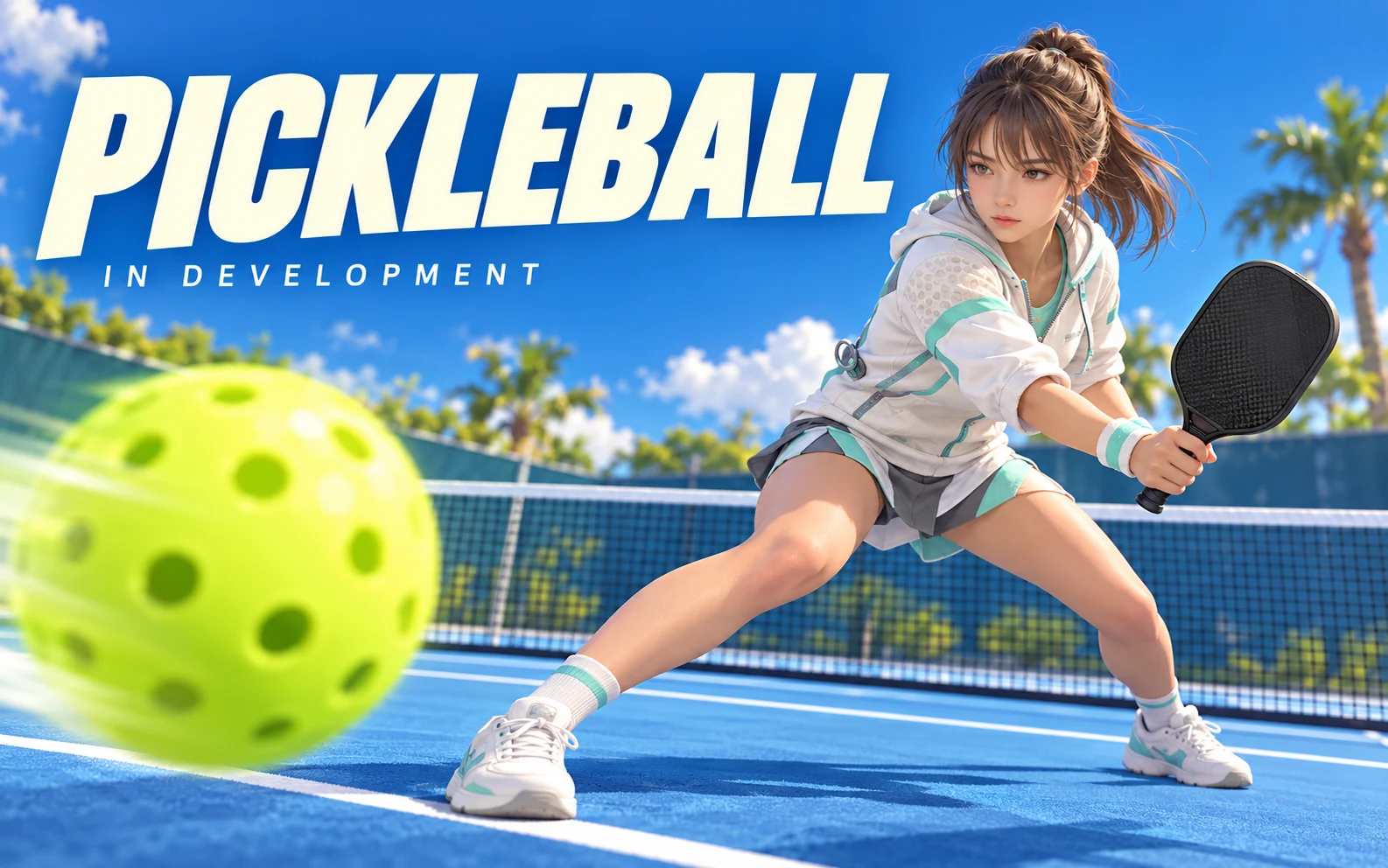
The project is in development. Athlete personalization, court movement and shot timing are presented as a playable foundation.
How can timing, movement and feedback make a sports prototype understandable on mobile?
Evidence: the project account and the attributed artifacts on this page. Process drawings and interaction studies are reconstructed explanations; numerical research or business results are included only where separately supported.
02 / Pickleball
The approach
The Unity foundation connects a customization front end to a generated court scene, URP rendering, a mobile HUD and C# match logic. Gameplay validation covers movement, rallies, shot types, camera switching, scoring and restart.
03 / Pickleball
My contribution
- Serve, drive, dink and lob interactions, buffered shot input and scoring to 11.
- Court movement, training-opponent behavior, pause, results and match restart flows.
- First- and third-person camera switching with avatar and paddle visibility rules.
- Procedural athletic stance, arm posing, finger grip and shot follow-through; Blender court and equipment workflows.
The process / Pickleball
A direction.
A way to build it.
The in-development sports loop makes position, timing and rally feedback understandable together.
A schematic of sequence and overlap, not a dated project schedule.
Separate preparation from play
Identify which athlete choices belong before entering the court.
Frame the timing interaction
Connect court movement, shot timing and the feedback needed to interpret the point.
Explore a playable rally
Build and inspect the Unity foundation with the relevant athlete and gameplay systems.
Refine point feedback
Review how a miss or completed rally prepares the player for the next exchange.
How can timing, movement and feedback make a sports prototype understandable on mobile?
The playable foundation moves from athlete choice into court movement, shot timing and rally feedback. The interesting interaction is the relationship between position and timing: the result should help a player understand what happened without interrupting the next exchange.
Journey map / Pickleball
See the whole task in context.
Choose a step to connect the person’s intent with the interface and the design decision.
Current intent
Choose an athlete
The project is in development. Athlete personalization, court movement and shot timing are presented as a playable foundation.
- Interface context
- Athlete selection
- Review question
- What feedback distinguishes shot timing from a positioning mistake?
Representative task sequence and recovery path, not a measured emotional curve or historical research map.
Behind the experience
A playable moment needs a connected system.
For Pickleball, this map connects “Choose an athlete” to “Review the rally”. Read across to follow the task, then select a layer to inspect the interface, design and delivery references behind it.
| Layer | Choose an athlete | Enter the court | Time a shot | Review the rally |
|---|---|---|---|---|
| The task | Choose an athlete | Enter the court | Time a shot | Review the rally |
| Visible interface | Athlete selection | Athlete selection | Court & timing | Rally feedback |
| Design checkpoint | The project is in development. Athlete personalization, court movement and shot timing are presented as a playable foundation. | Give athlete choices their own preparation space. | Keep shot timing and court movement readable together. | Resolve the point before preparing the next rally. |
| Implementation reference | Identify which athlete choices belong before entering the court. | Connect court movement, shot timing and the feedback needed to interpret the point. | Build and inspect the Unity foundation with the relevant athlete and gameplay systems. | Review how a miss or completed rally prepares the player for the next exchange. |
| Recovery | Missed shot → explain the point state → prepare the next rally | |||
A reconstructed delivery map: the implementation row summarizes design-process dependencies, rather than claiming to document the original backend architecture.
Prioritize the rally and immediate feedback.
Reconstructed comparison of design approaches. These are review studies, not a claim that both directions were historically tested or shipped.
What this direction changes
Prioritize the rally and immediate feedback
Keeps the play area legible while deeper configuration stays outside the rally.
Keep setup choices out of the active rally.
The reconstruction separates athlete selection from the court and point feedback. Personalization can be considered before play, while the court view gives movement and timing room to communicate. The result state should prepare the next rally rather than repeat the entire setup.
01 / Athlete selection
Athlete selection
←Enter the court→
Enter the court
Give athlete choices their own preparation space.
02 / Court & timing
Court & timing
←Time a shot→
Time a shot
Keep shot timing and court movement readable together.
03 / Rally feedback
Rally feedback
←Review the rally→
Review the rally
Resolve the point before preparing the next rally.
Try the interaction
Pickleball / Control & feedback study
Pickleball01 / 03
View 01
Athlete selection
Give athlete choices their own preparation space.
◈
Illustrative input-to-feedback relationship, not a simulation of the game’s physics.
Starting context
Choose an athlete
Score and timing cues serve different moments.
Keep player identity, score and timing feedback distinct. Critical match information must remain legible over the court.
Illustrative type-role specimenPickleball
Choose an athlete.
Review the rally.
HeadingCourt & timing
24 / 30 px · regularBodyHow can timing, movement and feedback make a sports prototype understandable on mobile?
16 / 26 px · regularLabelReview the rally
12 / 18 px · regularStateMissed shot → explain the point state → prepare the next rally
12 / 18 px · regularPortfolio-font hierarchy illustration; the source does not establish the exact client font or token scale.
Explain the miss without over-explaining the sport.
What feedback distinguishes shot timing from a positioning mistake?
A poorly timed shot and poor court position can feel similar without clear feedback. The design question is how to make the relevant cause understandable while preserving the pace of the rally.
Which customization controls matter before play and which should stay out of the match interface?
Athlete customization should not occupy the same attention as active match information. Its place in the journey affects how focused the court view can remain.
Connect interface feedback to the gameplay state.
This in-development Unity project combines shot timing, court movement and athlete systems. Handoff references should identify what the player did, which rally state follows and which feedback should appear, rather than treating the overlay as a separate graphic exercise.
For an agent-assisted iteration, define one timing or feedback behavior and inspect it in play. A useful change should remain legible alongside movement and score, not only in an isolated interface preview.
Pickleball is shown as a playable foundation in development, with no completed release or measured player outcome implied.
Accessibility & standards
Access belongs in the design.
For Pickleball, carry accessibility requirements from the core user journey into component states, prototypes and engineering acceptance criteria.
WCAG 2.2 AA · EN 301 549 · APCA · WAI-ARIA · Platform guidance
Keep controls and feedback understandable
Review control discovery, remapping or alternative inputs, HUD scale and redundant visual/audio cues. Explain failure and recovery without relying on color alone.
Protect readability and motion comfort
Assess menus and HUD against relevant WCAG 2.2 AA criteria; use APCA as an additional text-readability tool. Plan reduced camera motion and non-flashing feedback.
Evaluate the playable experience separately
Use native platform accessibility guidance and player testing for gameplay. A readable menu does not establish accessibility of every mechanic, input method or device.
Review scope & standards references
These are design references and review priorities, not a claim that this historical project passed a WCAG audit. Record criterion-level evidence, assistive-technology and device results, unresolved issues and retest outcomes before making a conformance statement.
APCA supplements the WCAG 2.2 contrast checks; it does not replace them. WCAG 3 remains a draft. EN 301 549 v4.1.1 is the latest published edition checked on 6 November 2026; its publication and its formal EU legal citation are separate matters. Confirm the applicable procurement or legal baseline with the client.
Outcomes & scope
What the work delivers.
- Playable development project. Advanced AI, networking, progression and authored motion-capture animation remain future work. No public release or device-performance benchmark is claimed.
Results are described within the documented project scope. Illustrative studies are identified separately from original project artifacts.
Review & next iteration
What needs to hold up in use.
Use these questions to review Pickleball against the behavior the design is intended to support.
- 01
Can a player distinguish a timing issue from a positioning issue?
- 02
Does the next rally start from an understandable state?
Project-specific acceptance questions for a future review, not reported usability-test results.
Reflection / Pickleball
What I’d carry forward.
The next rally depends on understanding the previous shot. Timing, movement and feedback need to develop together as this sports foundation continues through development.